Complete Restaurant Solution

BNEXVIEW

A connected restaurant ordering and management platform for online and in-house operations — from customer QR orders to branches, inventory, delivery and business reports.
Multiple Order SourcesRole-Based AccessSingle or Multi-Branch
🛵 Delivery OperationsOrders · Riders · Status
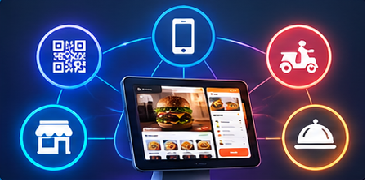
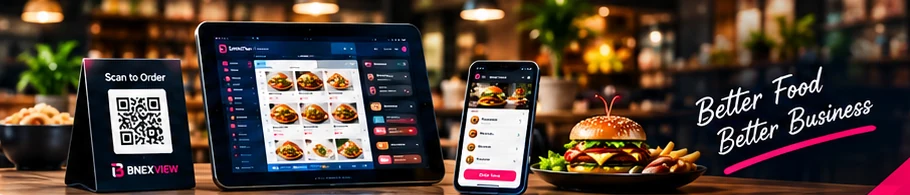
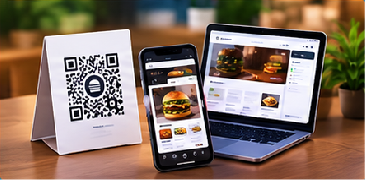
BNEXVIEW QR ordering, restaurant tablet, mobile ordering and food preview
QR Ordering · Desktop Management · Mobile Ordering
▦ Scan to OrderTable-wise QR ordering
One Connected Platform

Everything Your Restaurant Needs

Bring ordering channels, daily operations, teams, stock and business reporting together in one organized system.
01
▦
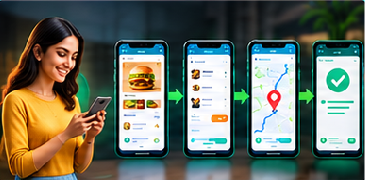
QR ordering and customer phone preview

All-in-One Ordering

  • QR / table-wise ordering
  • Online website orders
  • Dine-in and takeaway
  • Delivery and drive-through
  • Counter / POS orders
  • Phone and call-center orders
  • Other platform orders with source identification
02
⌖
Location-based branch selection illustration

Customer Journey

  • Branch selection
  • Location-based branch discovery where enabled
  • Cart quantity controls
  • Product options and add-ons
  • Checkout and order confirmation
  • Customer order-status page
03
↻
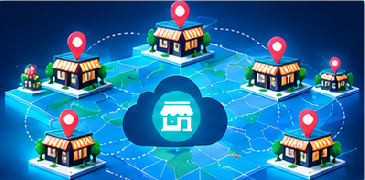
Multi-branch restaurant network illustration

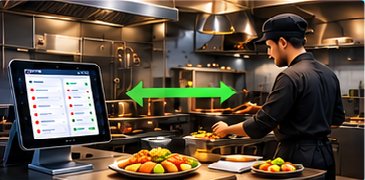
Order & Kitchen Workflow

  • New and accepted orders
  • Preparing and ready status
  • Out-for-delivery and delivered
  • Order details and source
  • Kitchen and admin views
  • Bill printing after completion where configured
04
⌘
Multi-branch restaurant network illustration

Multi-Branch Management

  • Branch-wise orders and products
  • Branch-level inventory
  • Expenses and sales reports
  • Branch staff access controls
  • Central oversight across locations
05
☷
Restaurant products and menu illustration

Products & Menu

  • Product categories and visibility
  • Sizes, options and add-ons
  • Option-based pricing
  • Deals and combo products
  • Scheduled availability where enabled
  • Branch-specific product availability
06
▣
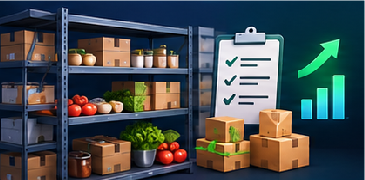
Inventory and stock illustration

Inventory & Stock

  • Branch-wise stock management
  • Trackable products
  • Ingredient and component mapping
  • Deal / combo component deduction
  • Stock adjustments
  • Manual stock controls
07
🛵
Rider delivery app and location illustration

Rider & Delivery

  • Rider accounts and status
  • Assign and share delivery orders
  • Role-based rider app access
  • Customer order tracking/status
  • Delivery completion updates
  • Location features depend on setup and device permissions
08
♙
Role-based staff permissions illustration

Staff & Permissions

  • Admin and branch manager
  • Kitchen operator
  • Rider
  • Phone / call-center user where enabled
  • Role-based pages and actions
  • Access controlled by assigned permissions
09
▥
Restaurant sales reports illustration

Reports & Finance

  • Overall and branch-wise sales
  • Order source and type breakdown
  • Customer / order / payment reports where available
  • Expense tracking
  • Cash, online and card payment records
10
▤
Restaurant administration tools illustration

Billing & Order IDs

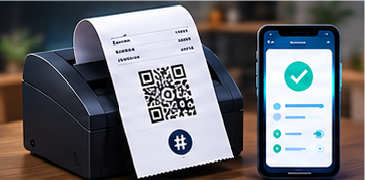
  • Bill and receipt printing
  • Print after completion where configured
  • Branch identification and order records
  • Payment details
  • Customer confirmation and status pages
11
☁
Database backup and security illustration

Backup & Security

  • Database backup download where configured
  • Scheduled backups where enabled
  • Restricted backup access
  • Role-based access
  • Server scheduling depends on deployment setup
12
✦
Restaurant website branding and design illustration

Website Design & Branding

  • Mobile-friendly customer menu
  • Restaurant logo and branding
  • Theme colors and page styling
  • Images and layout customization
  • Design controls where available
Clear Order Progress

From New Order to Completion

Keep teams aligned with a clear status workflow. Available actions depend on staff permissions and configuration.

01NewOrder received
02AcceptedOrder confirmed
03PreparingKitchen workflow
04ReadyReady for handoff
05CompletedClose and bill
Connected Operations

Run Every Branch with Clarity

Support a single restaurant or a growing multi-branch operation with branch-aware orders, products, inventory, staff permissions and reports.

Branch-wise order visibilityBranch product availabilityStock and expense separationCentral oversightOrder-source reportingRole-based access
Business Visibility

Understand Daily Performance

Bring sales, order sources, payment records and expenses into a clearer view to help teams manage daily restaurant activity.

Sales summariesPayment method recordsOrder source breakdownExpense trackingBranch comparisonsCustomer/order reports where available
The Right Tool for Every Role

Desktop & Mobile Access

Separate the customer ordering experience from staff operations so each user can access the experience suited to their role.
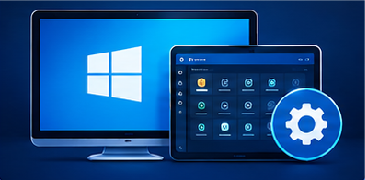
Desktop and mobile access illustration

Windows Management Software

Desktop-based access for branch operations and management, designed to keep everyday workflows together in one place.

Desktop and mobile access illustration

Role-Based Staff Apps

Kitchen and rider users can use the appropriate mobile app and the functions assigned to their role.
Desktop and mobile access illustration

Customer QR & Web Ordering

Customers scan a table QR code or open the web menu in a browser to browse products and place orders.

Built Around Restaurant Work

What Makes BNEXVIEW Different

A flexible foundation for restaurants that want to organize more of their ordering and management workflow in one place.

☁One Connected SystemOrdering and operations
⌘Multiple Order SourcesIn-house and remote
▣Inventory AwarenessStock and components
▦Multi-Branch ReadyBranch-level controls
⌖Location FeaturesWhere configured
♙Role-Based AccessAssigned permissions
▣Web + Desktop + MobilePurpose-fit access
Flexible Service Packages

Choose a Starting Point

Suggested package outlines, not published prices. Final features and pricing can be tailored to your restaurant and deployment.

Single Shop

For one restaurant or café

  • QR and counter ordering
  • Menu and product management
  • Order status and bills
  • Basic reports
  • Staff permissions
A practical starting point for one location.

Restaurant Management

For growing daily operations

  • Online ordering and delivery workflows
  • Multiple order sources
  • Inventory and stock management
  • Sales, payments and expenses
  • Kitchen and staff workflows
For restaurants managing more channels and tasks.

Multi-Branch

For multiple locations

  • Multi-branch management
  • Branch-wise orders and stock
  • Central oversight
  • Branch reports and expenses
  • Role-based access across locations
For growing groups and multi-location businesses.
Ready to Explore?

Bring Your Restaurant Operations Together.

Explore the ordering experience and see how QR ordering, menu management, staff workflows and branch operations can fit into one connected platform.